

Tempo + Equipe
Get started with the Equipe Extension for Tempo
The extension gives organisers a secure route from the current show in Equipe to reviewed imports and updates in Tempo.

What needs to be ready
- The organisation is a Tobtech customer and has been given access to Tempo.
- You can administer the current show and its Extensions in Equipe.
- The show, competitions and start lists are up to date enough for the import you want to review.
Workflow
From installation to an updated start list
The screenshots show Tempo in Swedish with fictional example data. Buttons follow your selected language in the live workspace.
Prepare customer access
Contact Tobtech and tell us which organisation will use Tempo. Wait for confirmation before installing the extension.
Install in Equipe
Open the overall show settings in Equipe, choose Extensions and install the extension identified by Tobtech.
Open the handoff
Start the Tempo action from Extensions in Equipe. Choose Become a customer if the organisation has no access, or Open Tempo if access is ready.
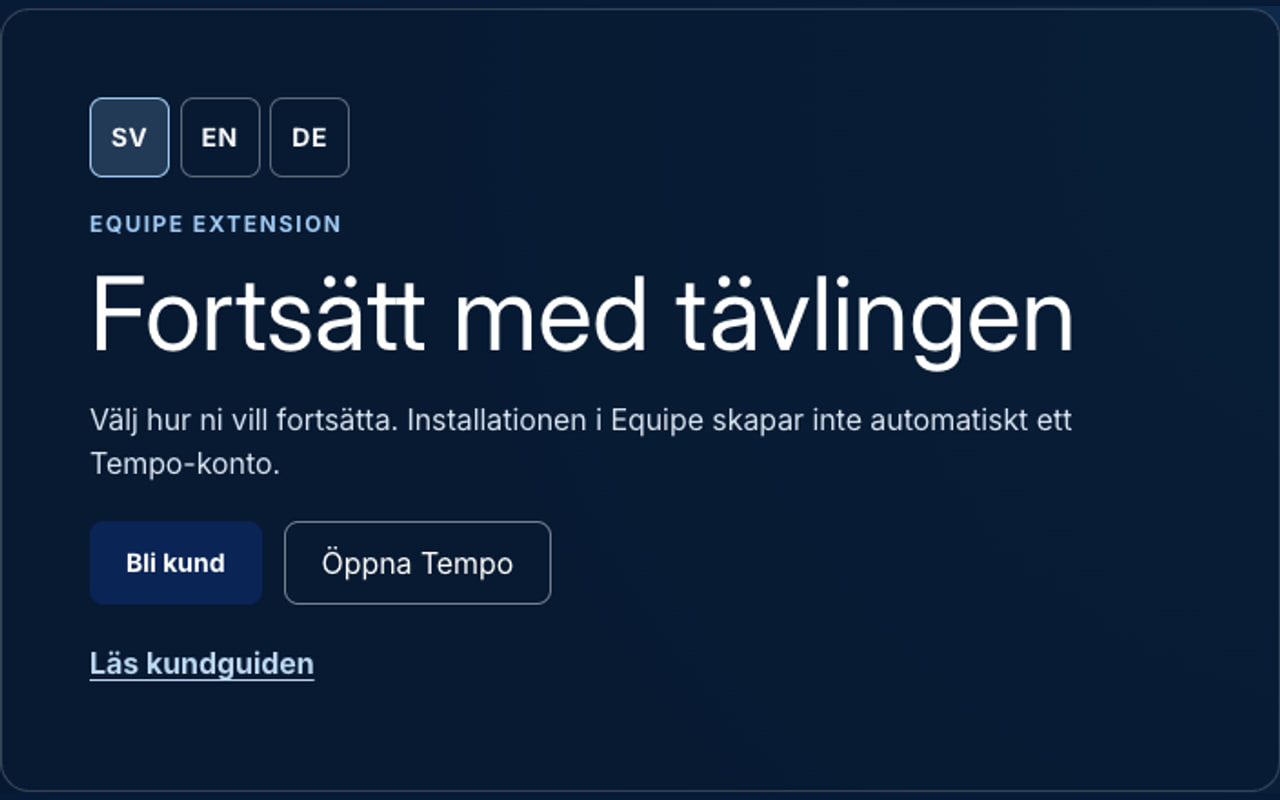
After the Tempo action, a new organiser chooses Become a customer. A customer with confirmed access chooses Open Tempo. Connect the show
Under Discovered shows, choose the correct customer. Use the time-zone suggestion or choose another time zone. Select Connect to Tempo and then open the show.
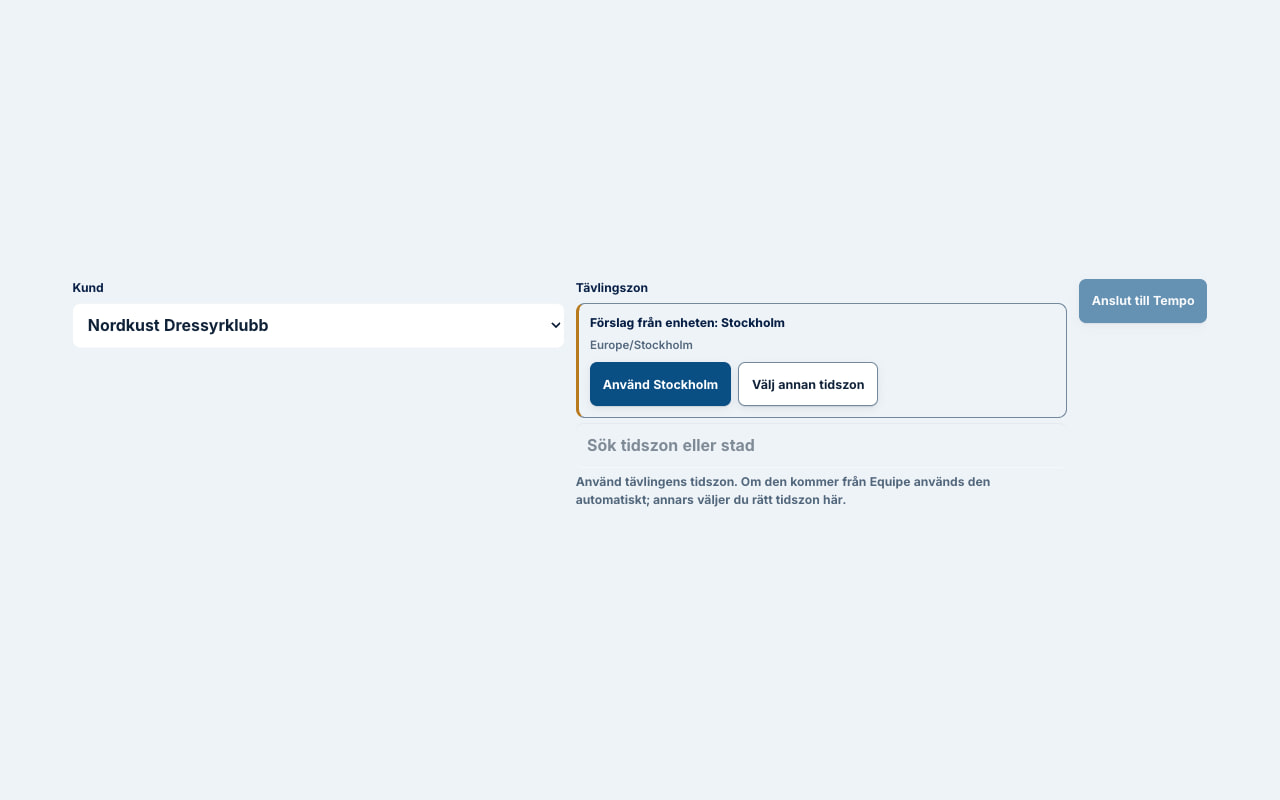
Discovered shows: choose the customer and use the time-zone suggestion or choose another time zone before connecting the show to Tempo. Choose competitions
Choose Import competition, load the competitions and select the competitions or lists to include. Set the music submission deadline.
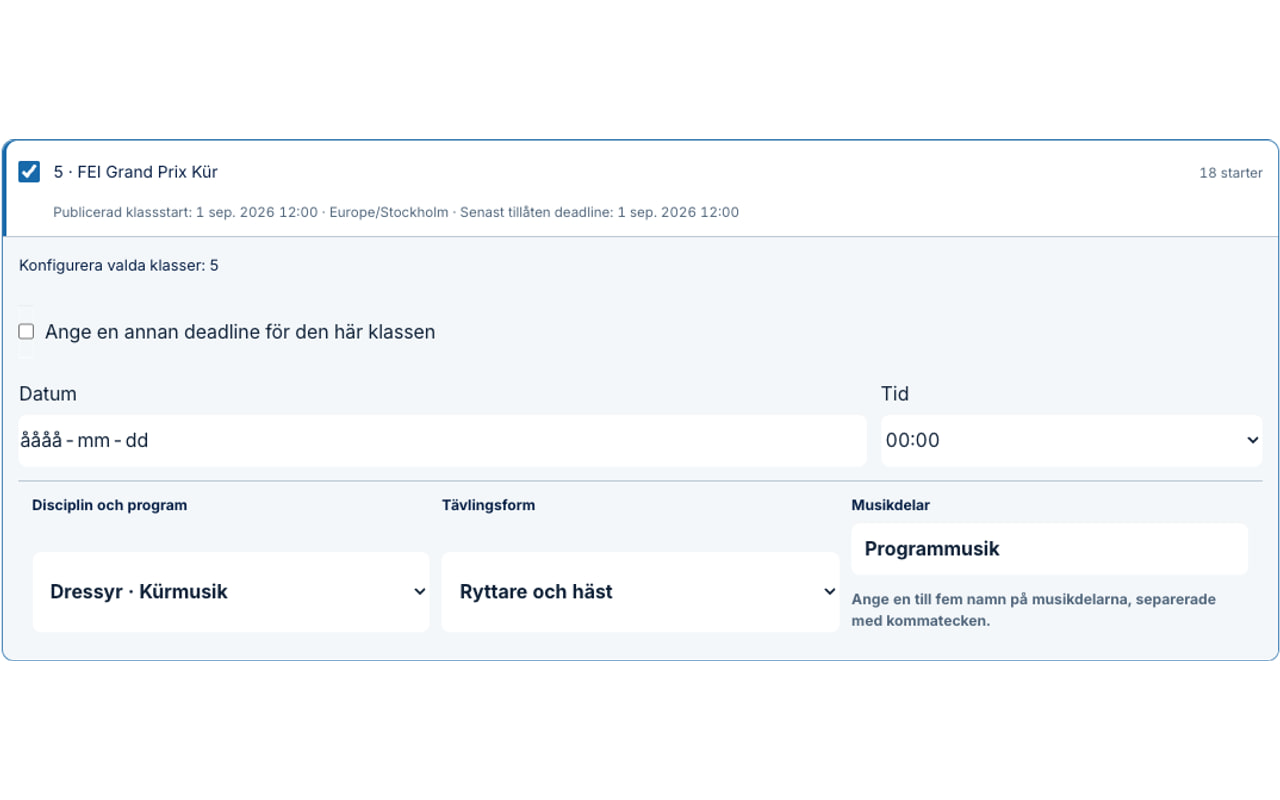
Competition selection: choose the right competitions, check the competition form and music parts, and set the deadline. Review before import
Choose Review import and check contact choices and other changes. Once the preview is correct, choose Approve import changes and then Import start list.
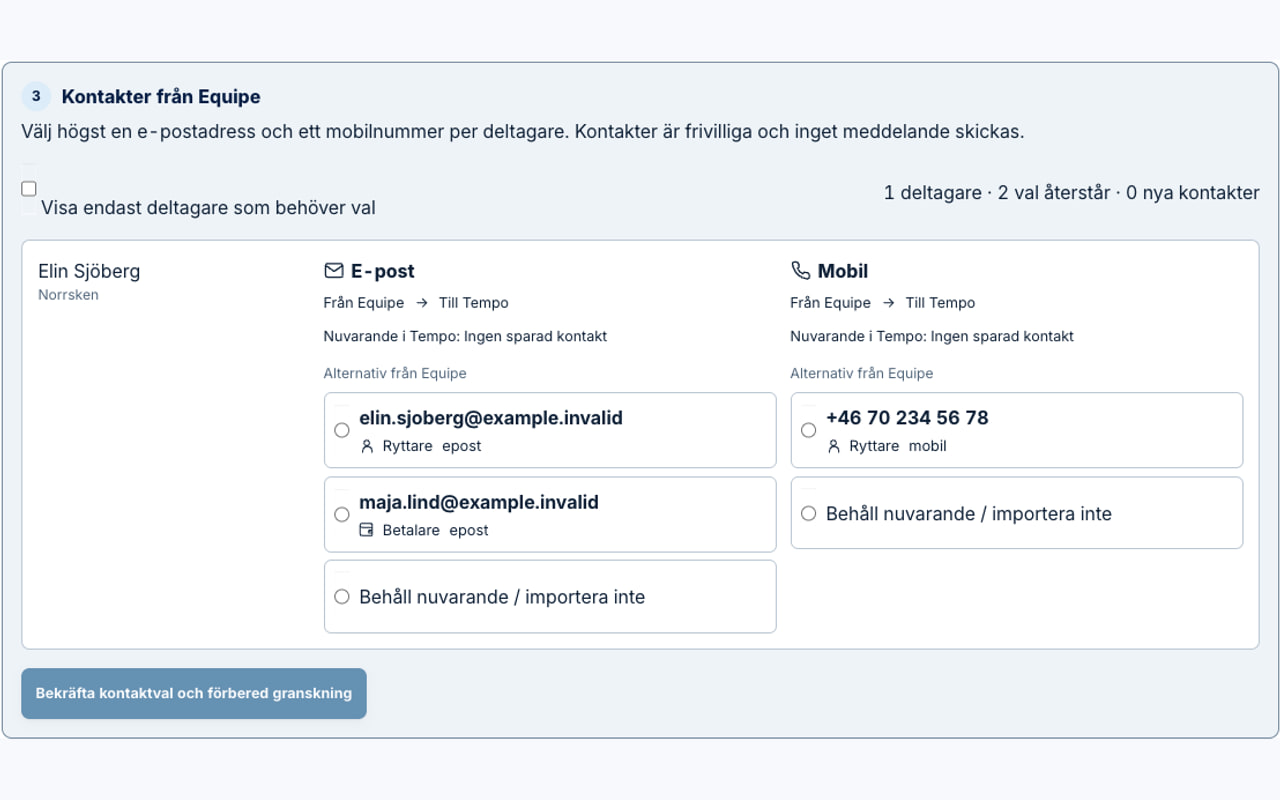
Contact review: choose or skip contact details. No message is sent in this step. Update with the same checks
When Equipe changes, load the source again. Tempo shows the differences before you approve the next update.
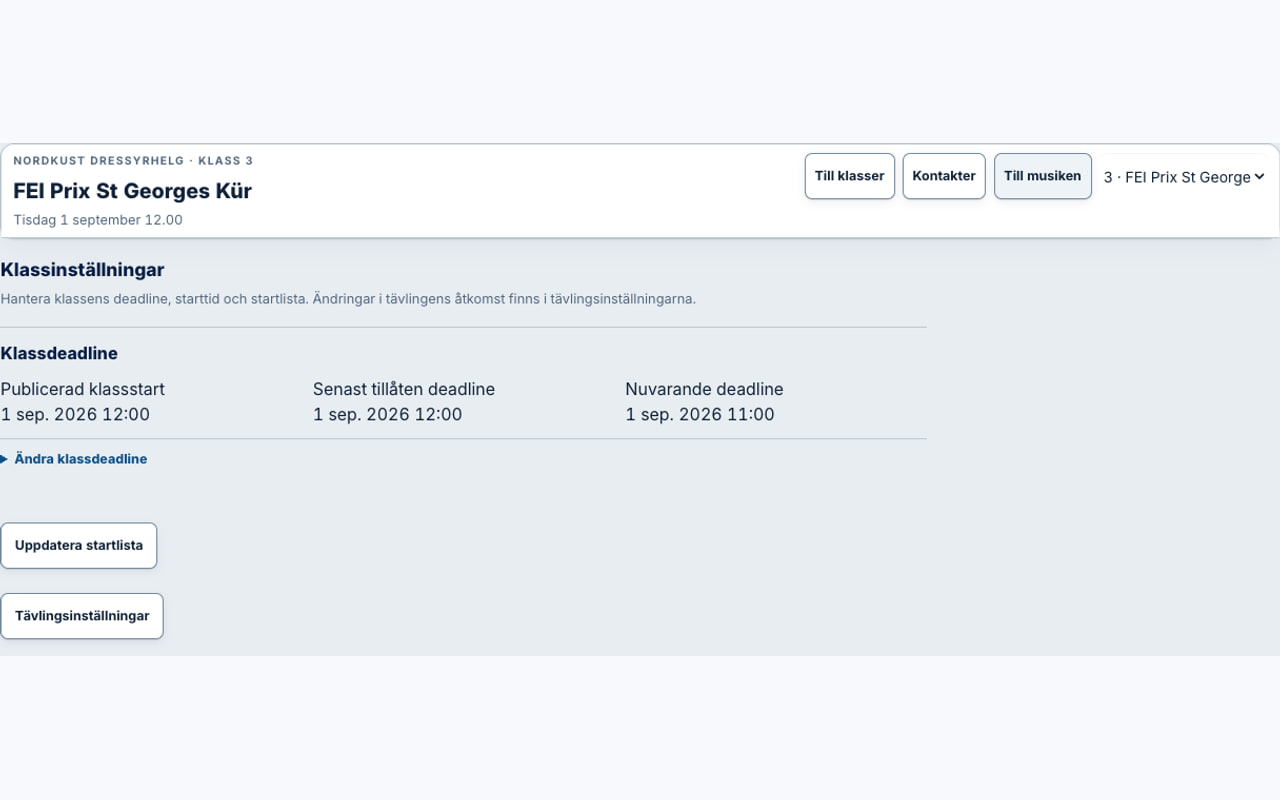
Later update: open competition settings and choose Update start list. Review the differences before approval.
If something is not right
- The handoff has expired
- Open Tempo manually and choose the show under Discovered shows. Otherwise, start the action again from Equipe.
- The show is missing
- Check that the correct show and Extension are active in Equipe. Run the Tempo action again and contact Tobtech if the show is still missing.
- Competitions or entries differ
- Do not approve the import. Update Equipe, load the source again and check the preview.
- You do not have Tempo access
- Choose Become a customer. Never include the handoff link or other private show information in the contact form.
Disconnect or delete
Contact Tobtech before uninstalling the extension or when data should be deleted. Uninstalling stops future access from Equipe, but must not be used as the only confirmation that imports, files and other show data have been deleted. Tobtech confirms the scope and completed handling separately.
Ready to prepare your organisation?
We will review customer access, the show and the first import before you start using the extension.