

Tempo by Tobtech
Submit music for your show
Follow the link from the organiser. You can find your entry through a public show link or open a personal link. Both lead to your music parts.
Keep the tab with your show or personal link open. Return to that tab to continue – this guide does not need your link.
The buttons in the screenshots are in Swedish.
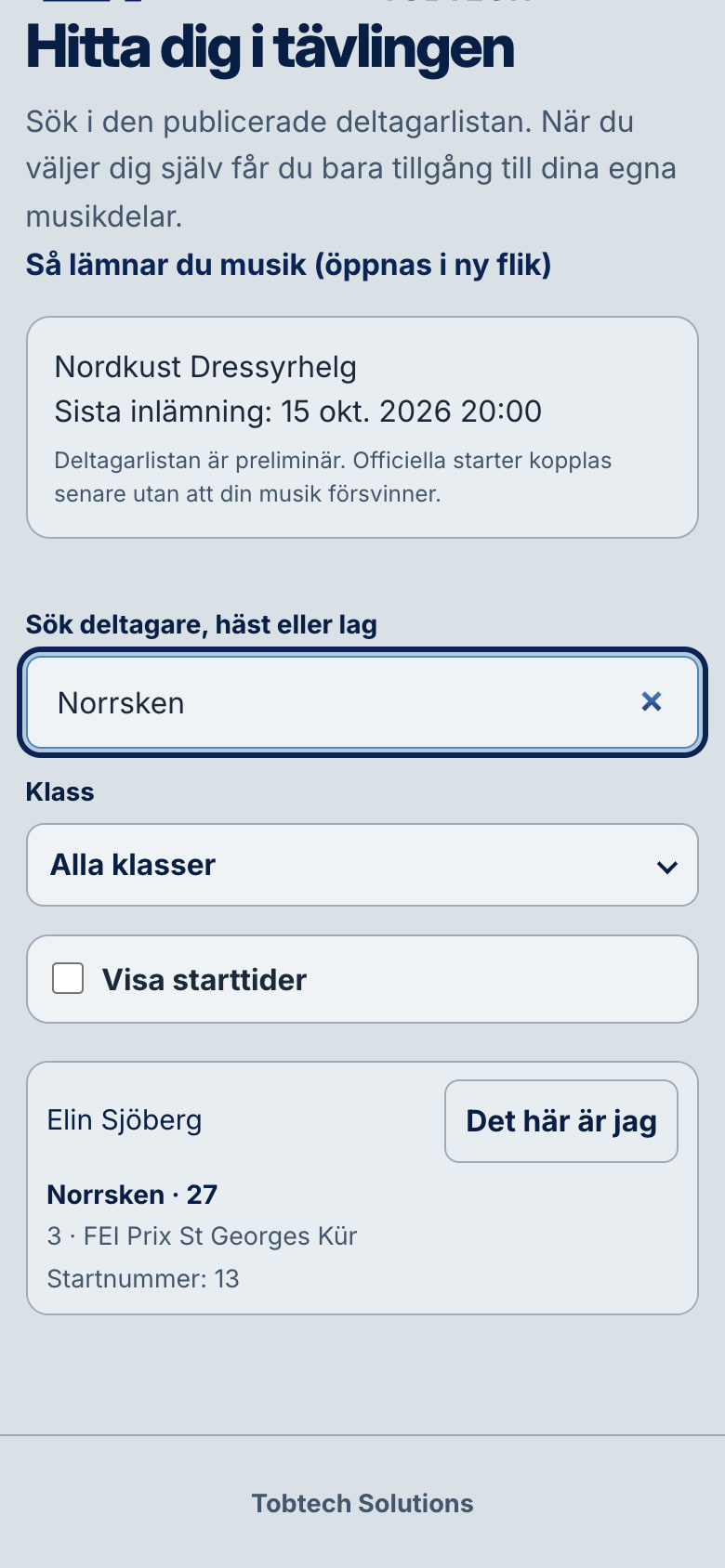
If you have a show link
Everyone in the show can use this link. Find your own entry before entering contact details.
- Search participant, horse or team. Check the show, competition and entry before selecting This is me.
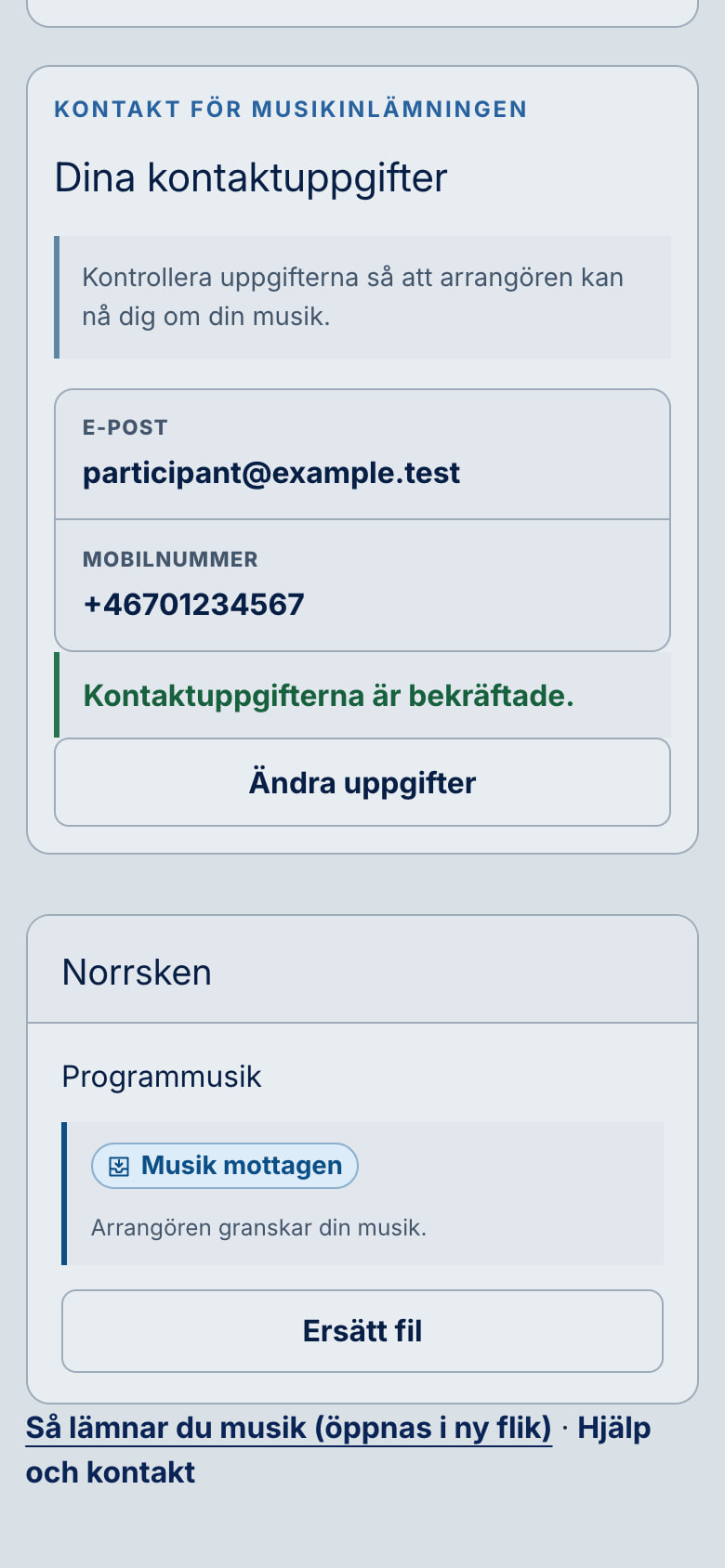
- Under Confirm this is you, enter an email address where the organiser can reach you.
- Choose the country for your mobile number and enter the number. Complete the check on the page, then select Continue to my music.
If you have a personal link
Open the link sent to you. Do not share it; it is for your music parts only.
- Check that the show, competition, participant and horse or team are correct.
- If asked for a mobile number, choose the country, enter the number and select Save and continue.
Choose and submit music
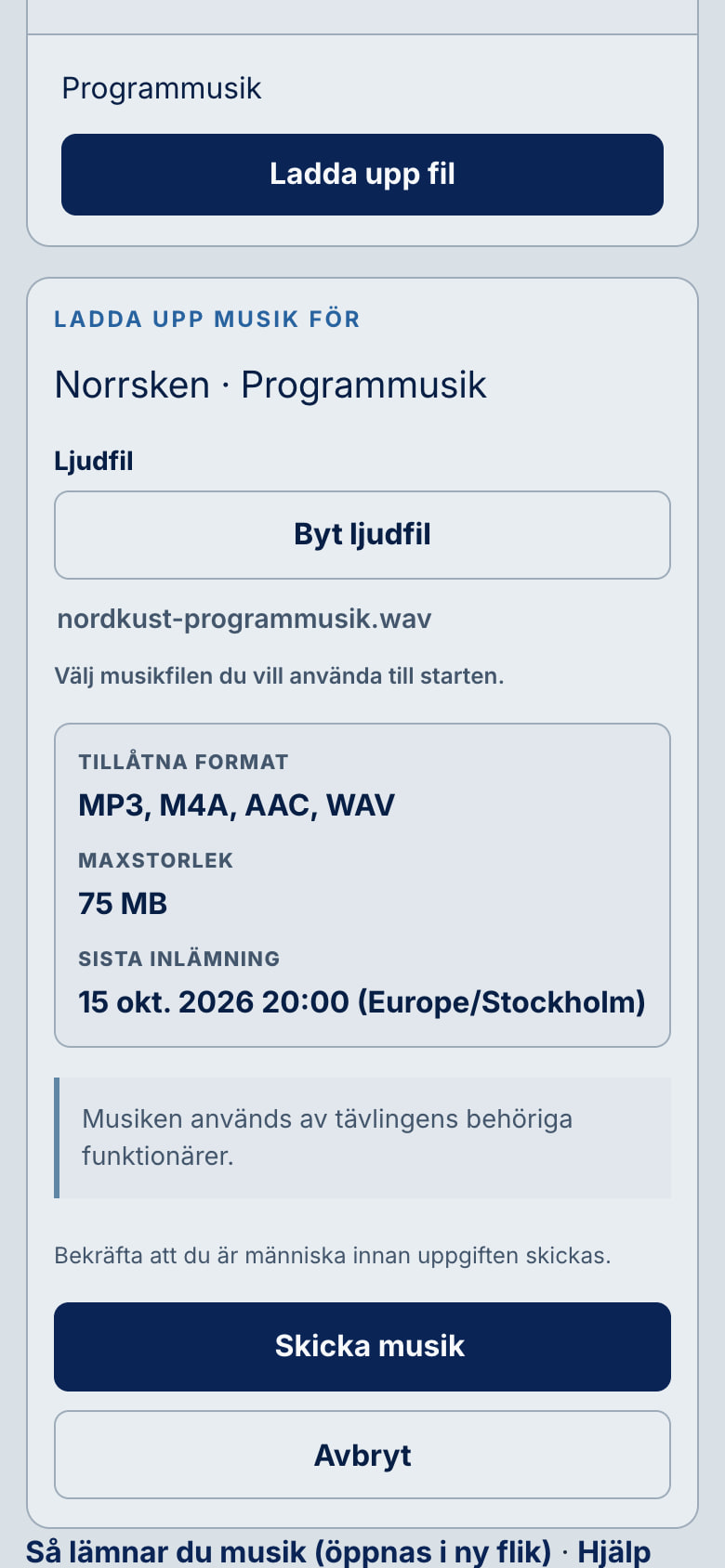
- Select the right music part for your entry and open Upload file.
- Choose audio file. Check the allowed formats and maximum size shown for this submission before selecting Submit music.
- Wait for the upload and file check to finish. Check that Music received appears beside the right part.
Check what remains
Submit a file for every required music part. When all have been received, the page shows All required music submitted. The organiser still reviews received music before using it.
If something is wrong
You cannot find your entry
Check your search and competition. If you are still missing, contact the organiser or competition office; do not submit as someone else.
The link or deadline does not work
Ask the organiser or competition office to check the link and deadline. This guide cannot reopen a closed or expired submission.
You chose the wrong file or need a replacement
On a personal submission page, select Replace file, choose new audio and confirm replacement of the old file if that option is available. For music already submitted through the show link, contact the competition office.
You are unsure whether the file arrived
Check for Music received beside the correct part. If the outcome is still unclear, do not send the same file again on a guess; contact the organiser.